Web Sampler

Browse a page in the window, play the sound you want, and keep the clip. Short one-shots and longer clips both stay in the list until you export them.

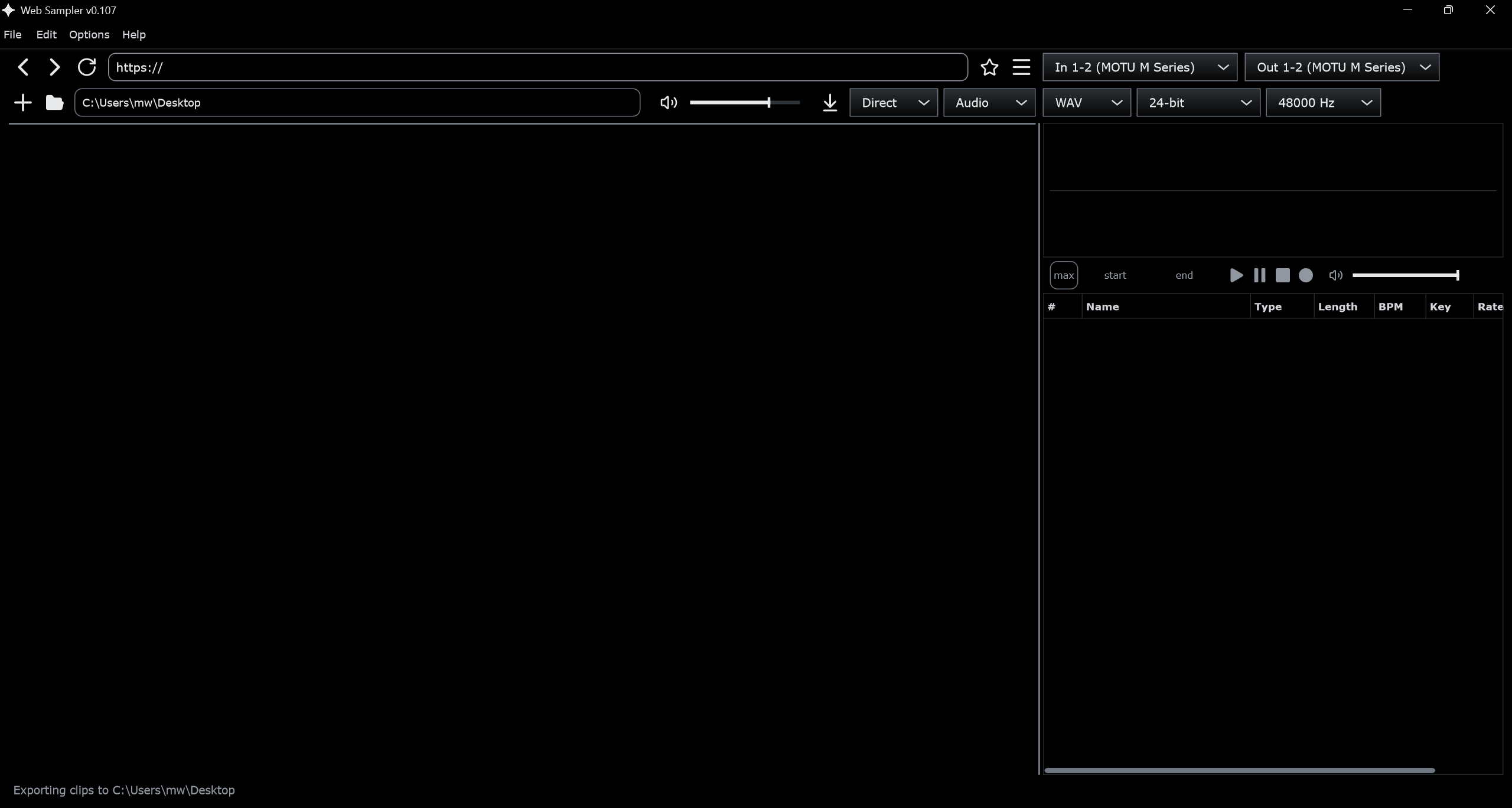
Web Sampler window. The page is on the left and the clip list is on the right.
The Web Sampler window. The page is on the left. The clip list, the wave, and the save format are on the right.

Capture

Play a sound on the page. It lands in the clip list, named from that page.

Direct downloads the address instead. Audio goes into the list. Video saves the file in the format it already uses. That is YouTube, SoundCloud, TikTok, Instagram, X, Facebook, Twitch, Bandcamp, Vimeo, Reddit, Dailymotion, Mixcloud, Audiomack, and Streamable, or a link that already points at an audio or video file.

Record takes a microphone or another input.

Trim

Click a clip and the wave opens above the list. Click the wave to play from that spot. Ctrl and the mouse wheel zooms: scroll up moves in, scroll down moves out. The middle mouse button moves a zoomed wave. Start and End set the section you keep, and Loop repeats it.

Export

Write WAV, AIFF, FLAC, Ogg, MP3, or Opus when you are ready. Bit depth is 16-bit, 24-bit, or 32-bit float, separate from the rate: the clip's own rate, 44.1, 48, or 96 kHz. The usual export is 24-bit WAV. Files stay out of the save folder until you export.
The list

Each row shows a number, the name, the type, the length, BPM, key, sample rate, and bit depth. Rate and bit depth are the sample itself. A page capture or a recording shows 32-bit float. A 24-bit export is written when you export. BPM and key fill in after a closer listen, and you can run that again from the right-click menu. A red dot in front of a name means that clip is normalized on export.

The window

The volume slider sets how loud a clip plays. The page keeps its own volume. Clips play through the output you pick. The page still plays through the Windows default device. Options, then Settings, chooses the driver, the output, and the input. Options, then Hotkeys, changes the wave controls. File, then Save, writes a .ws work file. Until you name one, the app keeps an autosave.

The Windows download on this site is build 0.0.0.106.